SegmentKit
Never let the size of your 3D printer
determine the size of your
ambition.
Segment Any 3D Model to Fit Your Printer
Generate Molds for vacuum bagging in minutes
Turn Any 3D Printer Into a Manufacturing System
Meet The Segment Studio
Powerful tools with no download Required.

Repair models with one click.


Automatically segment any model to fit your printer.
Take control with manual adjustments

Export Ready to print with Connectors
There is More
Save time and money on your next Big Print

With our surface segmentation feature You can print "hallow" models wile focusting on the surface alone.
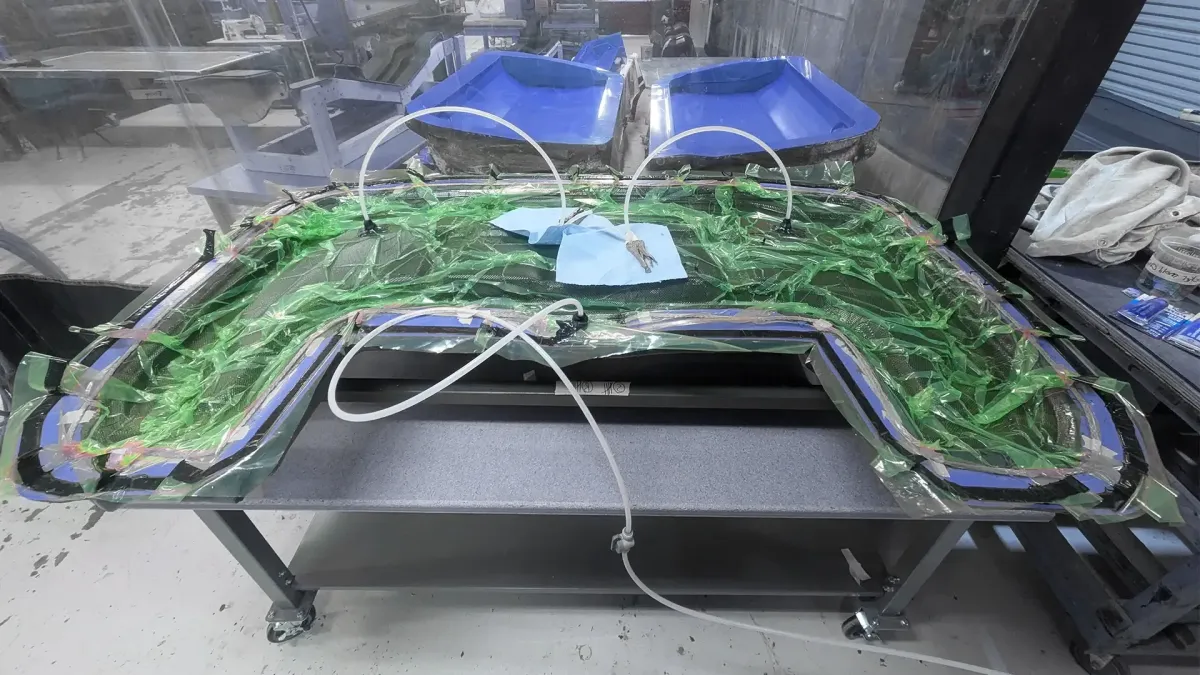

Make Molds for composite manufacturing & vacuum bagging with a single click!
Save even more time and money on your next Big project
With segment kit you can adjust the flange and generate molds ready for vacuum bagging.
It's time to upgrade your Workflow
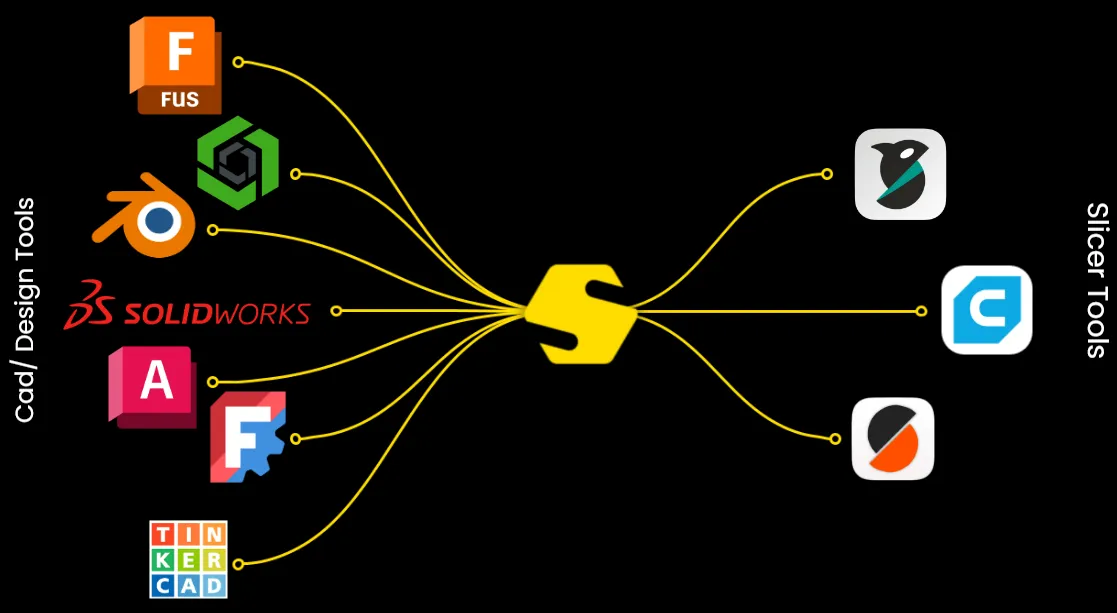
Segmentkit is a unique tool that sits between heavy weight cad and design tools and slicer tools. It helps you optimize your 3D assets for printing and large scale manufacturing.
so...
Ready to Build Without Limits?
The future of manufacturing isn't reserved for billion-dollar factories anymore.
Whether you're an engineer developing the next breakthrough product, a fabricator reducing tooling costs, or a maker building your dream project from a garage workshop, SegmentKit gives you the tools to manufacture bigger, faster, and smarter.Join thousands of innovators pushing the boundaries of additive manufacturing and advanced composites.
Start building the future today.
FAQ's
What is SegmentKit?
SegmentKit is a browser-based manufacturing preparation platform that helps you optimize large 3D models for printing. You can automatically segment oversized models, generate composite mold tooling for vacuum bagging, repair meshes, and export print-ready files—all without installing software.
Do I need to download any software?
No. SegmentKit runs entirely in your web browser. Simply upload your 3D model, configure your settings, and export ready-to-print files from virtually any modern computer.
What file formats are supported?
SegmentKit supports STL and 3MF files for importing models and exports print-ready 3MF files that preserve your segmented build layout.
Can SegmentKit generate molds for carbon fiber parts?
Yes. SegmentKit can automatically generate composite mold tooling designed for wet lay-up and vacuum bagging workflows. The generated molds can then be segmented to fit virtually any FDM 3D printer.
Can I use any 3D printer?
Yes. SegmentKit is designed to work with virtually any FDM 3D printer. Simply enter your printer's build volume, and SegmentKit automatically segments larger models into printable sections.
Is my data secure?
Yes. Your uploaded files are stored securely, and you control how your projects are shared. Private projects remain accessible only to you, while public projects are only shared if you choose to publish them.
Who is SegmentKit for?
SegmentKit is built for makers, engineers, product designers, fabricators, automotive enthusiasts, aerospace innovators, robotics teams, prop makers, RC builders, and anyone looking to manufacture projects larger than their printer.
Why not just use a traditional slicer?
Traditional slicers prepare models for printing. SegmentKit prepares them for manufacturing. In addition to segmentation, SegmentKit provides model repair, composite mold generation, surface segmentation, and manufacturing-focused workflows that go beyond what most slicers offer.
Why not just use professional CAD software?
Professional CAD software is excellent for designing parts—but creating printable segments, composite molds, and manufacturing-ready files often requires multiple manual steps, advanced modeling experience, and significant time.
SegmentKit is designed to complement your existing CAD workflow, not replace it.
Simply import your finished model into SegmentKit to automatically:
.Segment large models to fit your printer
.Generate composite mold tooling for vacuum bagging
.Repair mesh files
.Optimize models for additive manufacturing
.Export print-ready files in minutes
Whether you're using SolidWorks, Fusion 360, CATIA, Siemens NX, Blender, or another CAD package, SegmentKit helps bridge the gap between design and manufacturing.
Do I need CAD experience?
No. SegmentKit is designed to simplify workflows that would normally require advanced CAD software. Whether you're an experienced engineer or a hobbyist building projects in your garage, SegmentKit makes manufacturing preparation faster and more accessible.
Can I try SegmentKit before subscribing?
Yes. You can create a free account and explore SegmentKit before upgrading to a paid plan with additional features and higher usage limits.